
In short
If you make carousels for several companies, the slow part is not the writing. It is getting each client's look right every time. In carouselgen a brand holds a client's logo, colours, fonts and voice, so you set that up once per client.
Set up each client once
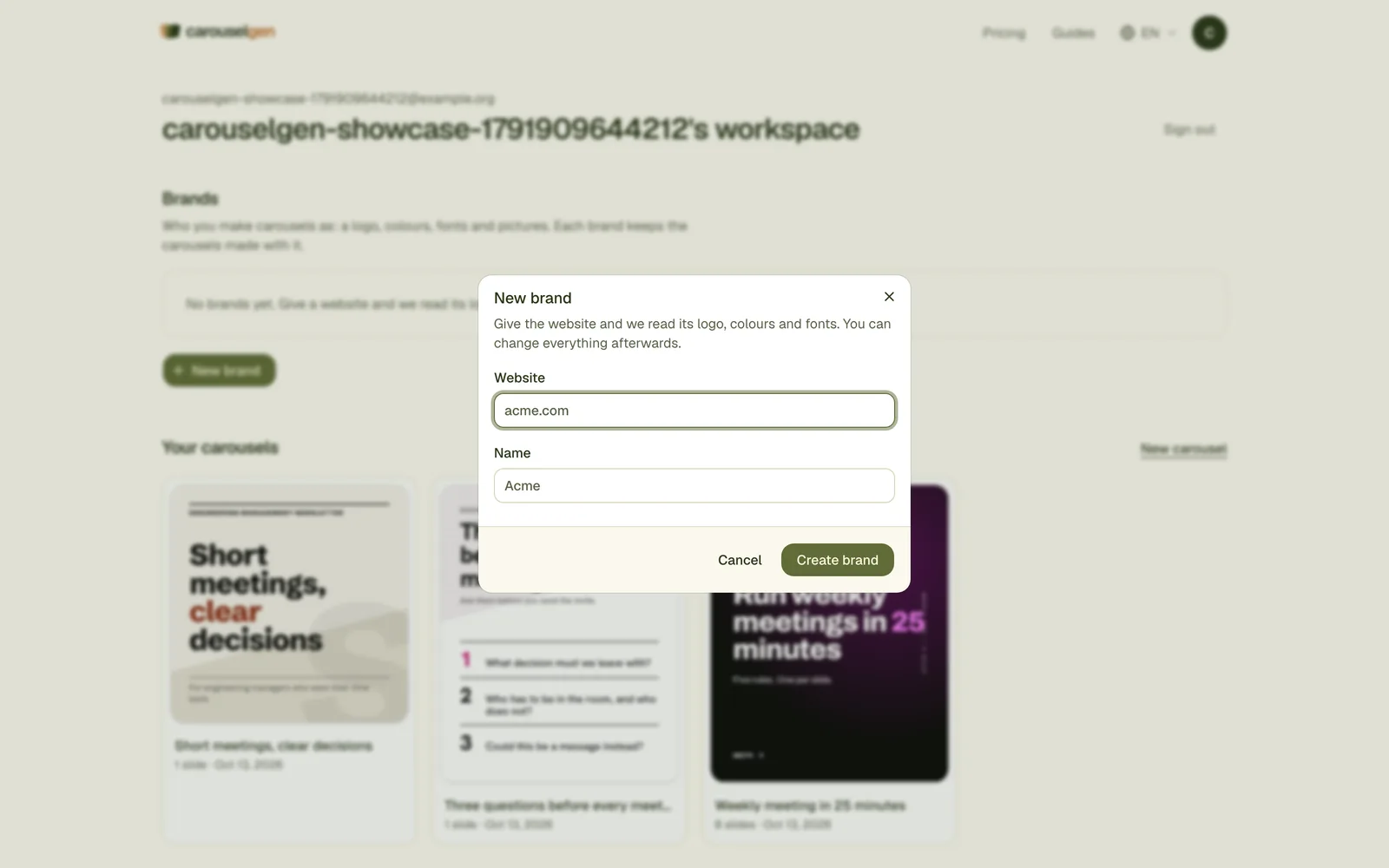
Create a brand from their website
Give the brand a name and the client's website. carouselgen reads the colours, fonts, logo and a few pictures from that page. Correct anything it got wrong by hand.
Make one carousel and set it as the default look
When a carousel looks right, make it the brand's default look. New carousels with that brand follow it, with new words.
Add the person who posts
Add them to the brand as an author, and each carousel can carry their photo and name. See the byline.
Make carousels in batches
- Pick the brand in the prompt box and write only the topic. The look comes from the brand.
- Attach the client's own material: a PDF, a blog post, notes from a call.
- For clients who post in more than one language, translate the finished carousels.
- If you work in Claude, carouselgen's connector can make several carousels for one brand in a single conversation. See making carousels with Claude.
Show the client
A brand's unlisted link shows the client their brand and its carousels, read only. They can make one carousel with it themselves, or save a copy of the brand into their own account. See sharing a brand.
Agree on these with the client
- Who approves each carousel before it goes out.
- That facts and numbers come from them. The designer does not invent facts, and you should not either.
- Whether the carouselgen.com mark may show. It is always on with the free plan; paid plans can switch it off. See the mark.
Questions
How many client brands can I have?
It depends on the plan. The pricing page lists the number for each.
Can the client edit the carousels I made?
Only the account that made a carousel can open and edit it. Add the client to the brand by email and they can make their own in the same look.
Can I deliver images for Instagram as well?
Yes. Export a carousel as images, one PNG per slide, next to the PDF for LinkedIn.
Make this carousel now
Describe it once. The designer lays out every slide, and you fix what you dislike by commenting.
Try for free nowNo sign-up needed to try. The free plan exports with a small carouselgen.com mark.