
In short
If your audience spans countries, one carousel per language is the usual extra work: copy the file, retype every slide, fix the line breaks. In carouselgen it is one click on a finished carousel. The translation keeps the design and every slide's layout, and writes the words in the new language.
How to translate
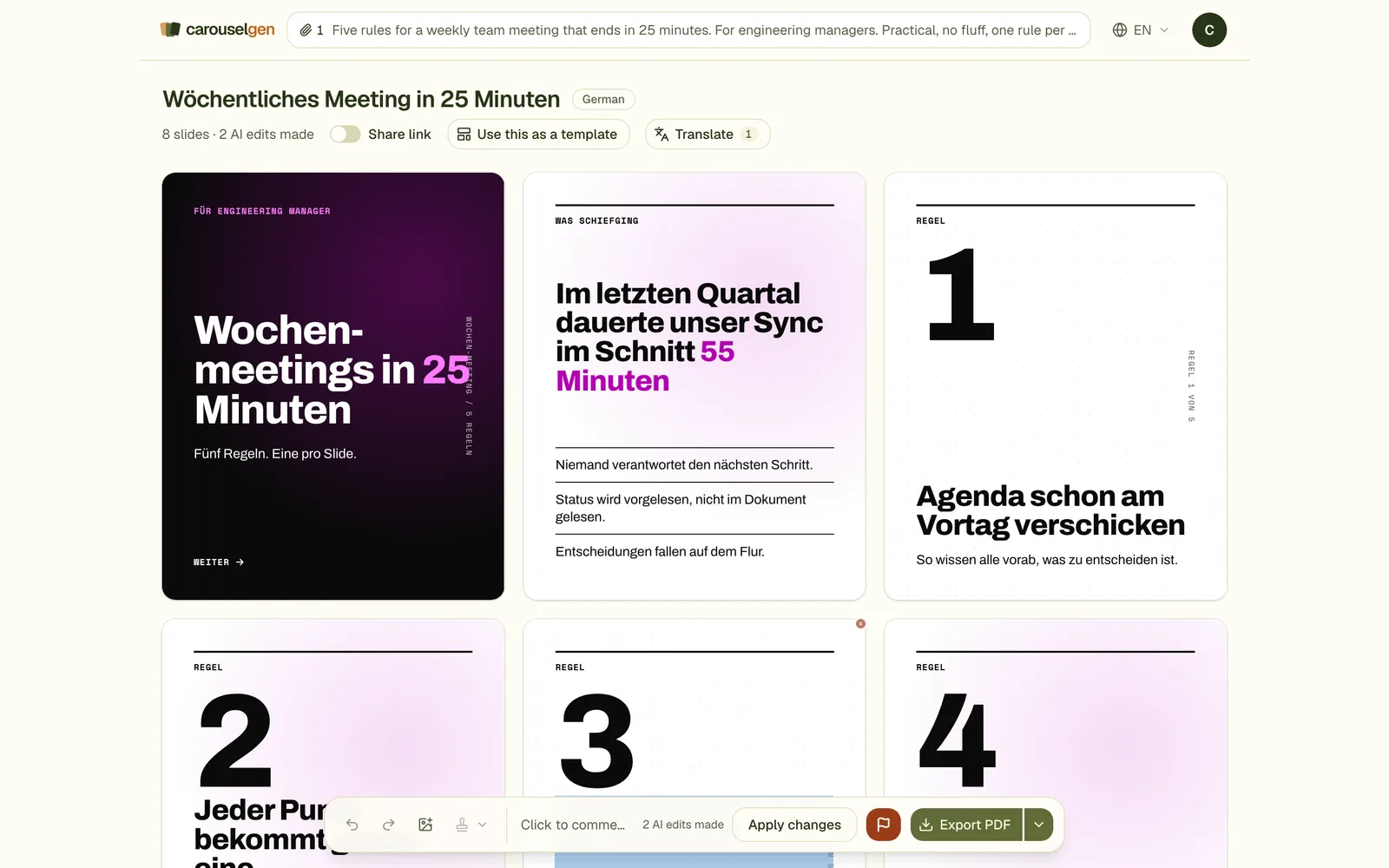
Open Translate in the editor
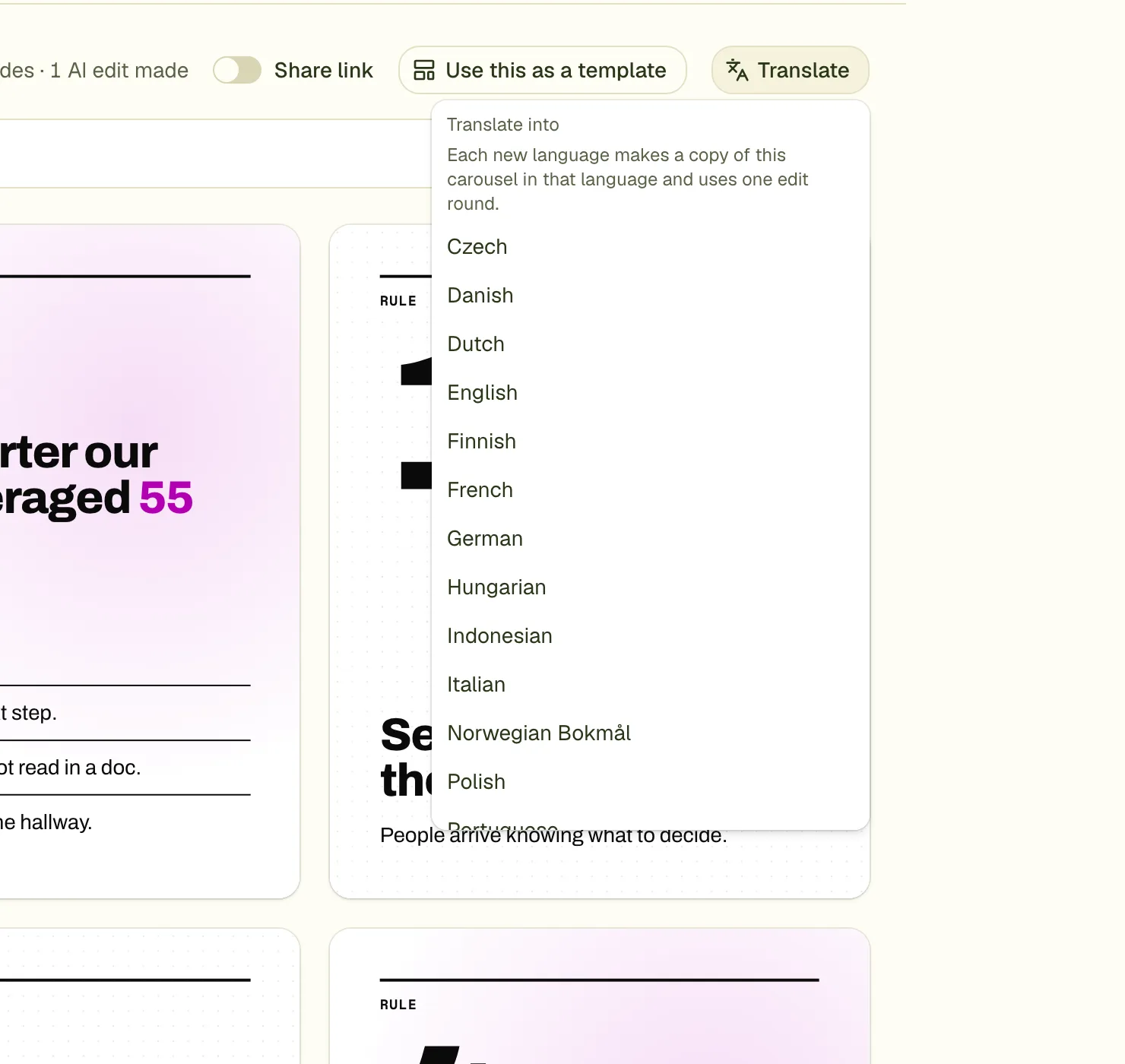
The button sits beside the share link, in the row under the title. It carries the number of translations the carousel already has.
Pick a language
The menu lists the carousel's languages first, and below it, under "Translate into", the languages you can still add, with the edit rounds you have left. Click one.
Wait for the copy
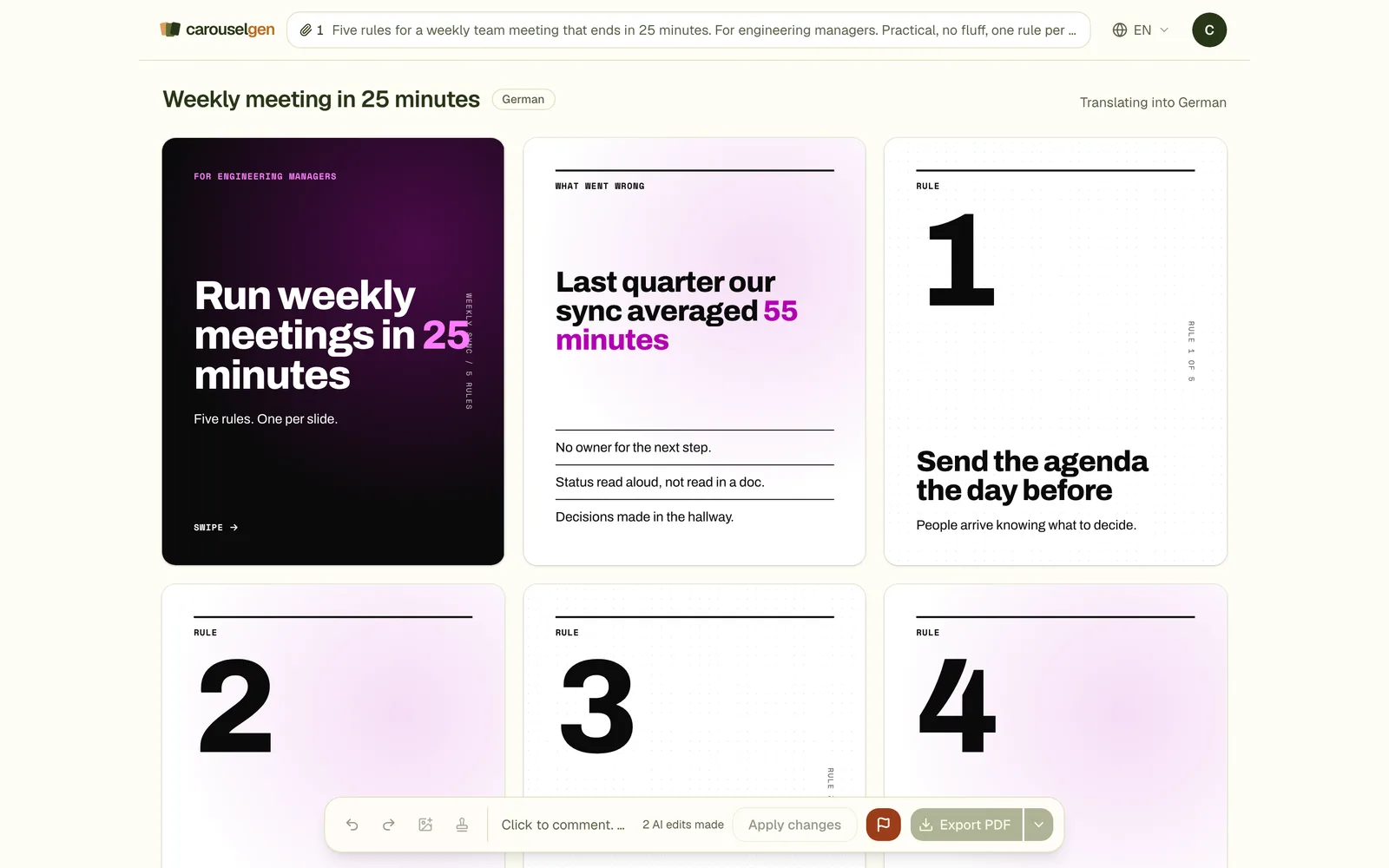
A new carousel opens with the status "Translating into German". Each slide is written as it lands.
Check the result
The design is unchanged. Read it once: names, numbers and ids are kept as they were.
The 17 languages
English, German, French, Spanish, Italian, Portuguese, Dutch, Polish, Swedish, Danish, Norwegian (Bokmål), Finnish, Czech, Romanian, Hungarian, Turkish and Indonesian. All are Latin script. Cyrillic, Greek, Arabic and Chinese, Japanese or Korean are not offered yet, because a carousel's Google Fonts are picked for the language it was written in and may not cover another script.
What it costs
- Translation is on Pro and Max.
- Each new language uses one edit round of the original carousel. A carousel and all its translations share one pool of edit rounds.
- A translation that fails on our side gives the round back.
- A translation is not a new carousel against your monthly allowance, and a translation has no Start over.
- Asking again for a language you already have opens the existing copy at no cost.
After translating
- A tag by the title tells you which version you are on. The original is marked Original.
- On the account page, a carousel and its translations are one card with a badge.
- A design change you make on one version, such as a colour or font, is repeated on the other versions of the same carousel. Changes to words are not.
- Some languages run longer than English, and German often does. The editor warns when text runs past the edge of a slide. See the guide on text cut off.
Questions
Which language is the original in?
carouselgen does not detect it. The original is marked Original, and all 17 languages are offered, including its own. Choosing the language it is already in fails the copy and returns the round.
Does it work for posts and other sizes?
Yes. A single image post and an image of your own size can be translated too.
Can I translate over Claude?
Yes. The translate_carousel tool takes up to five languages at once, each its own carousel to check.
Try it on your own carousel
Make a carousel from a short brief, then use this feature on it. It takes about a minute to get the first draft.
Try for free nowNo sign-up needed to try. The free plan exports with a small carouselgen.com mark.