In short
A carousel that shows who wrote it reads as a person talking, not a company. A byline is a small round photo with a name and a role, in a corner of every slide. In carouselgen a brand can hold people, and a carousel can be written by one of them.
Add a person to a brand
- Open the brand page and its Brand tab.
- In the People section, add a name, an optional role and a photo.
- Repeat for each person the brand speaks for.
Choose who wrote it
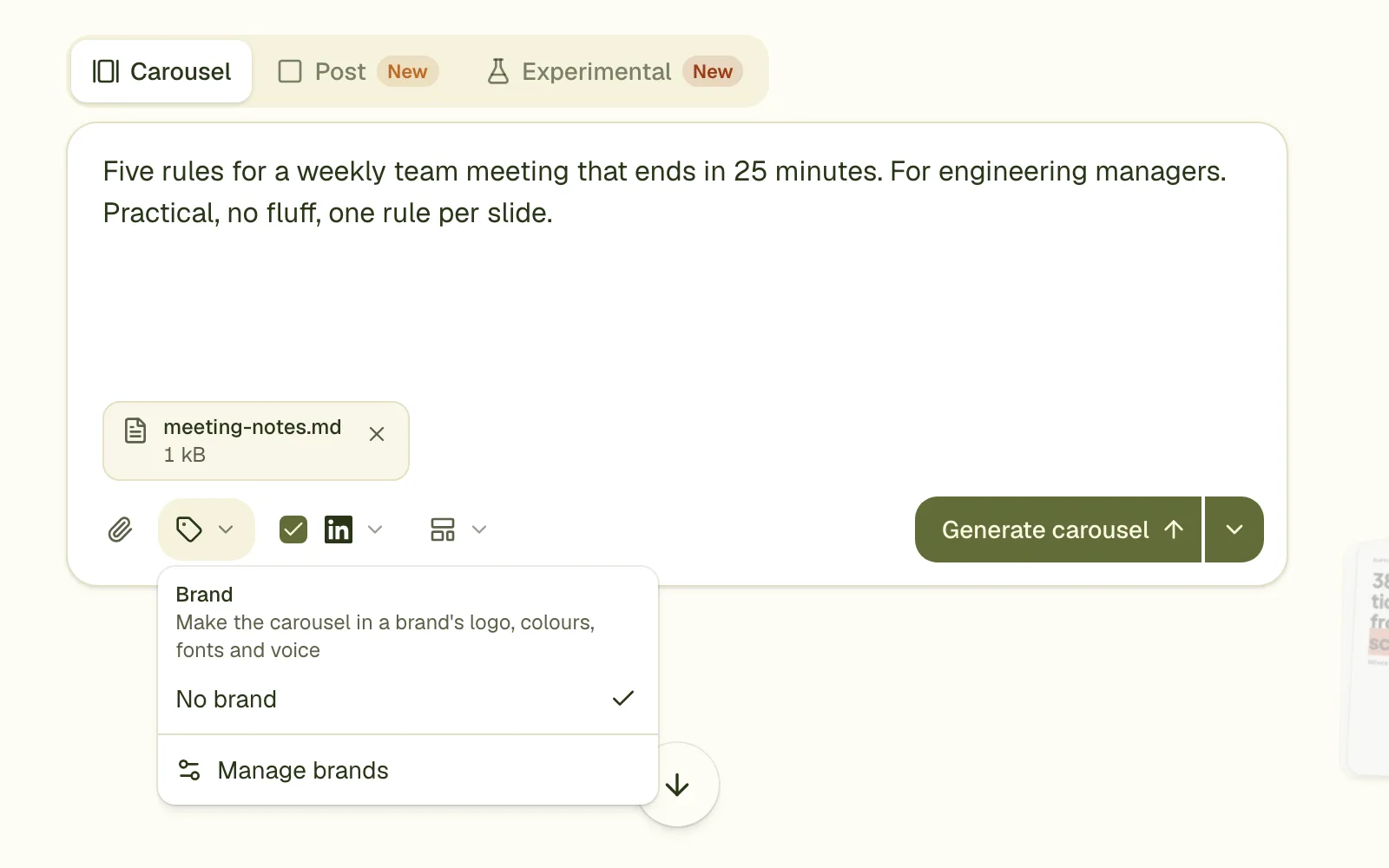
When a brand has people, the Brand menu in the prompt box shows "Written by". Pick a person, or "No byline". A brand with exactly one person starts with them selected.
What the designer does
- A small round portrait with the name and role beside it, as a plain line of text with no card behind it.
- In a free corner of every slide, opposite the logo.
- The same on every slide of the carousel.
Without a brand: attach a portrait
You can get the same result without a brand. Attach a portrait photo and name the writer in your brief: "written by Sam Ortiz, product lead". A portrait among your attachments with a named writer gets the same byline.
Limits
- A person cannot be edited once added. Remove them and add them again.
- The byline is on every slide. You cannot choose which slides carry it, except by asking for a change in a comment.
- People are not copied when someone saves your shared brand to their account.
- A translation copies the original's slides, so the byline comes with them.
Questions
Does the photo need to be square?
No. It is cropped to a circle. A head and shoulders photo with a plain background works best.
Can I use several people on one carousel?
One writer per carousel.
Will people see the photo on LinkedIn twice?
LinkedIn shows your profile photo beside the post anyway. A byline on the slides stays with the slides when someone saves the PDF or shares a single slide.
Try it on your own carousel
Make a carousel from a short brief, then use this feature on it. It takes about a minute to get the first draft.
Try for free nowNo sign-up needed to try. The free plan exports with a small carouselgen.com mark.