
In short
A carousel that does not look like your brand is one you will not post. A brand in carouselgen is the fix: a name, a website, colours, fonts, a logo, some pictures and a few words about how you speak. Make it once, then pick it for every carousel.
What a brand holds
| Part | What it does |
|---|---|
| Colours | Primary, secondary, accent, background and text. The designer builds the palette from them. |
| Fonts | A heading font and a text font from Google Fonts. A name Google does not have is left out. |
| Logo | Goes on every slide. |
| Pictures | Photos from your site or uploads. You switch on the ones carousels may use. Each is described in a line, so the designer can pick the right one without seeing every image. |
| Voice | A note on how the brand speaks, such as "plain and direct, short sentences, no jargon". |
| Carousels | Every carousel made with the brand is filed in it, and one can be its default look. |
How to create one
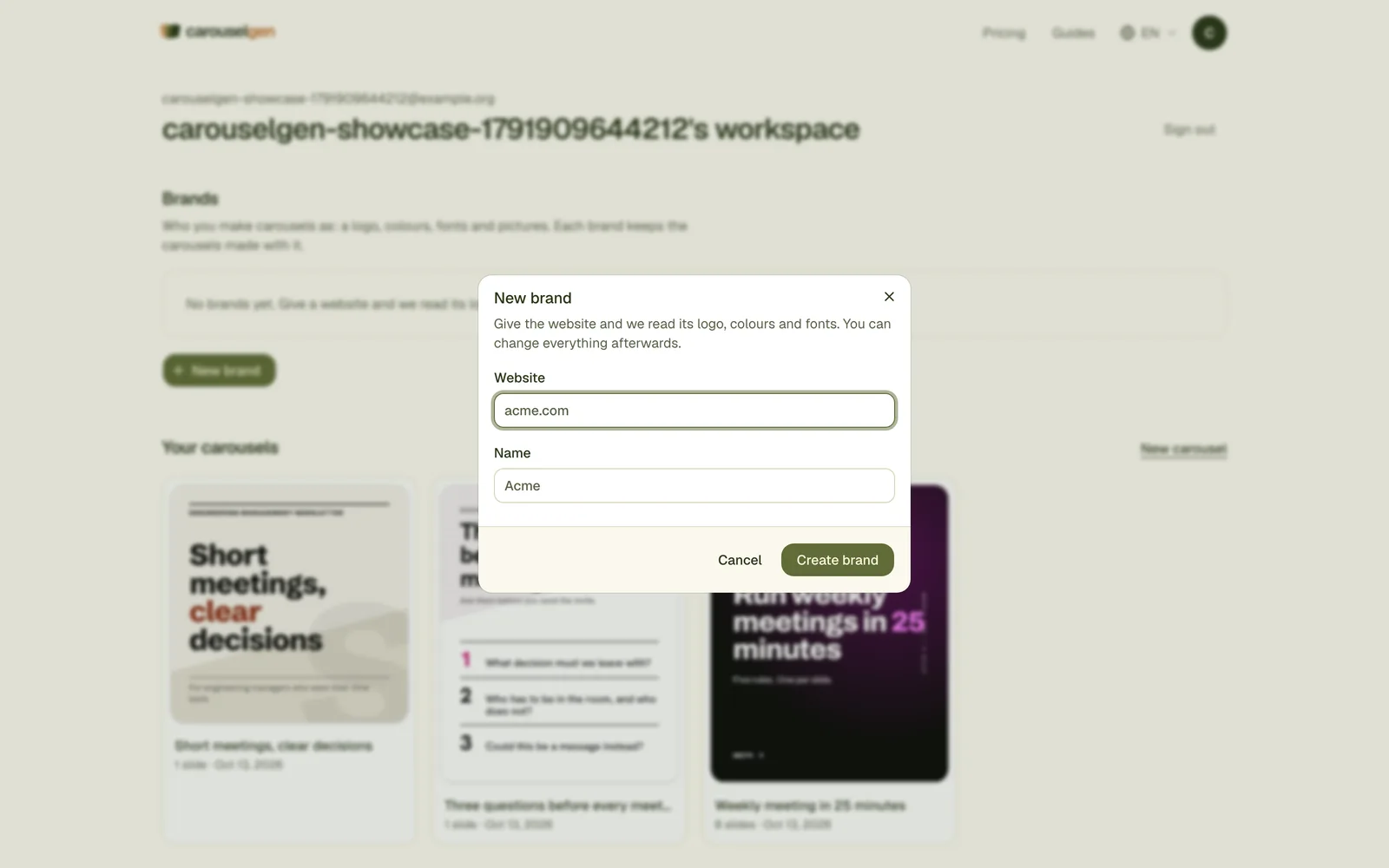
- Brand menu in the prompt box, then Manage brands, then New brand.
- Type a name and a website such as acme.com. carouselgen reads the page once.
- Open the brand and check the result. Correct a colour, change a font, add a line of voice.
- Go back to the prompt box, pick the brand and write your brief.
When the website cannot be read
Some sites block the read. The brand is then made with the name only, and a message says so. Add the logo and the colours by hand on the brand page. Nothing else is lost.
Old carousels do not change
A carousel copies the brand's look when it is made. If you change the brand later, only new carousels follow the change. That keeps a posted carousel exactly as you exported it.
One-off: style a carousel after a website
If you do not want a saved brand, name a website in the brief and ask for its look: "styled like acme.com". The designer reads that site's landing page once, for colours and fonts only, and the editor says "Styled after acme.com". A site that is not public is not read.
Questions
Does it copy my website's text?
No. It takes the look, meaning colours and fonts, and in a brand also the logo and pictures. The words come from your brief.
How many brands can I have?
One on Free and Starter, five on Pro, no limit on Max.
Can someone else use my brand?
Yes. Share it by link or add people by email. See the guide on sharing a brand.
Try it on your own carousel
Make a carousel from a short brief, then use this feature on it. It takes about a minute to get the first draft.
Try for free nowNo sign-up needed to try. The free plan exports with a small carouselgen.com mark.