In short
To get from a Google Doc to a LinkedIn carousel, take the text out of the Doc first. carouselgen has no connection to Google Docs, so a Doc cannot be attached as a link. Download it as a .docx or PDF file, or paste its text into the prompt box, then add one line saying who the carousel is for.
Can I attach a Google Doc to carouselgen?
No. The prompt box takes pasted text and attached files. The file types it accepts, per the list in carouselgen's source code, are PDF, Word (.docx), text (.txt, .md, .markdown, .csv) and images (.png, .jpg, .jpeg, .webp, .gif). I searched the app's code for any Google Docs or Google Drive connection and found none, so a Doc has to leave Google as one of those formats.
A Doc link pasted into the brief is only words to the model. The one kind of link the designer follows is a website whose look you ask it to copy. I did not test a Doc link, so do not rely on one.
How do I get a Google Doc to a LinkedIn carousel?
Settle suggestions and comments in the Doc
Accept or reject the suggested edits you care about. We did not test what Google puts into a downloaded file for a suggestion that is still pending, so decide it before you download.
Download the Doc, or copy its text
Per Google's help page, click File, then Download, then choose a file type. Google's developer reference lists Microsoft Word, PDF, plain text and Markdown among the export formats for a Doc; look at your own menu for the exact names. Or press select all and copy.
Attach the file or paste the text
Drag the file onto the prompt box or use the attach button. It shows as a chip under the text. Pasted text goes straight into the box.
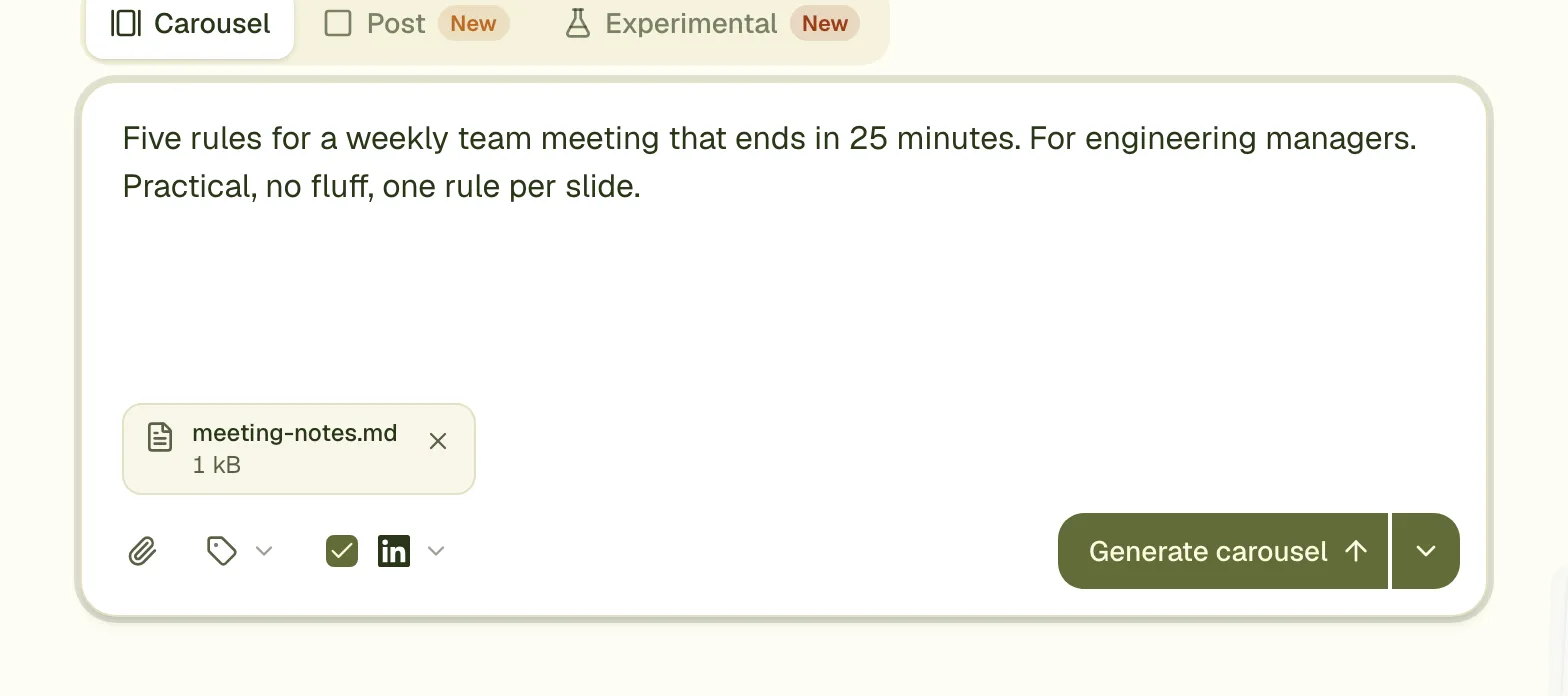
Add one line of direction
Say who the carousel is for and which part of the Doc to lead with. Without a line, the designer picks an angle itself.
Generate, then read each slide against the Doc
Check names and numbers on every slide before you post.
Which route is best for my Doc?
| Route | What reaches carouselgen | Pick it when | Watch for |
|---|---|---|---|
| Paste the text | The words you paste, up to 6,000 characters | The Doc is about a page | Pictures and layout do not come along. Check what your browser pastes from a table. |
| .docx download | Plain text only, made in your browser | The Doc is mostly paragraphs and lists | Pictures, table grids, heading styles and list numbers are dropped (I tested the converter on a small file). |
| PDF download | The whole file, read as text and as page images | A table, a chart or the layout carries the meaning | Up to 20 MB and 100 pages. Pictures are read, not reused on slides. |
| Text or Markdown file | The text exactly as in the file | You already write in Markdown | Up to 1 MB per file. |
The PDF is sent to the model as it is, and Anthropic's documentation says each page is converted to an image with its text extracted alongside, which is why charts and tables survive. The .docx is different: the converter ignores formatting, so a Doc whose meaning sits in a table should go as a PDF. For a blog-style Doc, see blog post to LinkedIn carousel. For the PDF route in detail, see PDF to LinkedIn carousel.
How long can the Doc be?
| What you bring | The limit |
|---|---|
| Text pasted into the box | 6,000 characters |
| One text or Markdown file | 1 MB |
| One .docx file | 10 MB, and the text inside it up to 1 MB |
| All text and Word files together | About 200,000 characters |
| One PDF | 20 MB and 100 pages (pages are counted across all PDFs) |
| Files on one carousel | 10 files and 20 MB in total |
These are the limits in carouselgen's source code (lib/deck/source-limits.ts). A file that breaks one shows the problem on its own chip. As a rough figure of mine, one page of a Doc is about 500 words, which is around 3,000 characters, so a one-page Doc fits in the box as pasted text.
A worked example: a one-page Doc as the brief
This is an example, not a customer's file. Say the Doc is one page called "Support shift handover checklist": a two-line intro and six numbered steps. Download it as a PDF, attach it, and paste this brief.
"A carousel for team leads in customer support, from the attached Google Doc. Open with the problem the checklist solves: a handover that loses context. Then one step per slide, in the Doc's order and with its wording. Eight slides in all. The last slide restates that a good handover is six minutes of writing and asks which step their team skips most."
- Cover: the problem, in one line the reader recognises.
- Steps 1 to 6: one step on each slide, in the Doc's wording.
- Closing slide: the takeaway in one line, then the question about the step skipped most.
Six steps plus a cover and a close make eight slides, which fits the brief and the 8 to 10 range of the length tip. If the Doc had twelve steps, you would say which six to keep instead of asking for twelve slides.
How carouselgen helps
carouselgen turns the text you bring into designed slides: it reads the PDF or the text, chooses fonts and colours, writes one slide per point and exports a PDF for LinkedIn. It does not stay linked to your Doc, so a later edit in Google Docs does not reach the carousel. Download again and make a new one, or change the slides by commenting on them or editing the text by hand. Posting is up to you: the file you upload to LinkedIn is the PDF.
Questions
Can I paste the link to my Google Doc instead of downloading it?
carouselgen has no Google Docs connection, and we did not test a pasted link, so use a download or the pasted text. The one link the designer follows is a website you ask it to take the look from.
Which format should I download a Google Doc in?
Use PDF if the Doc has tables or charts, and .docx or plain text if it is mostly paragraphs. The PDF is sent whole; the .docx is turned into text only, and its pictures and table grids are dropped.
How long can a Google Doc be for a carousel?
Pasted text can be up to 6,000 characters. As a file, a .docx can be 10 MB with up to 1 MB of text, and a PDF can be 20 MB and 100 pages.
Will the carousel update when I change the Doc?
No. carouselgen works from the file or text you gave it. After you change the Doc, download it again and make a new carousel, or edit the slides directly.
Make this carousel now
Describe it once. The designer lays out every slide, and you fix what you dislike by commenting.
Try for free nowNo sign-up needed to try. The free plan exports with a small carouselgen.com mark.