
In short
A blog post is a good source for a carousel: the thinking is done, and the points are already in order. The job is to cut it down to one idea per slide. You can paste the text, or attach the post as a file.
Three ways to bring the post in
- Paste the text into the prompt box. The quickest way, up to 6,000 characters, which is roughly 1,000 words.
- Attach a Word file (.docx). It is turned into text in your browser before it is sent.
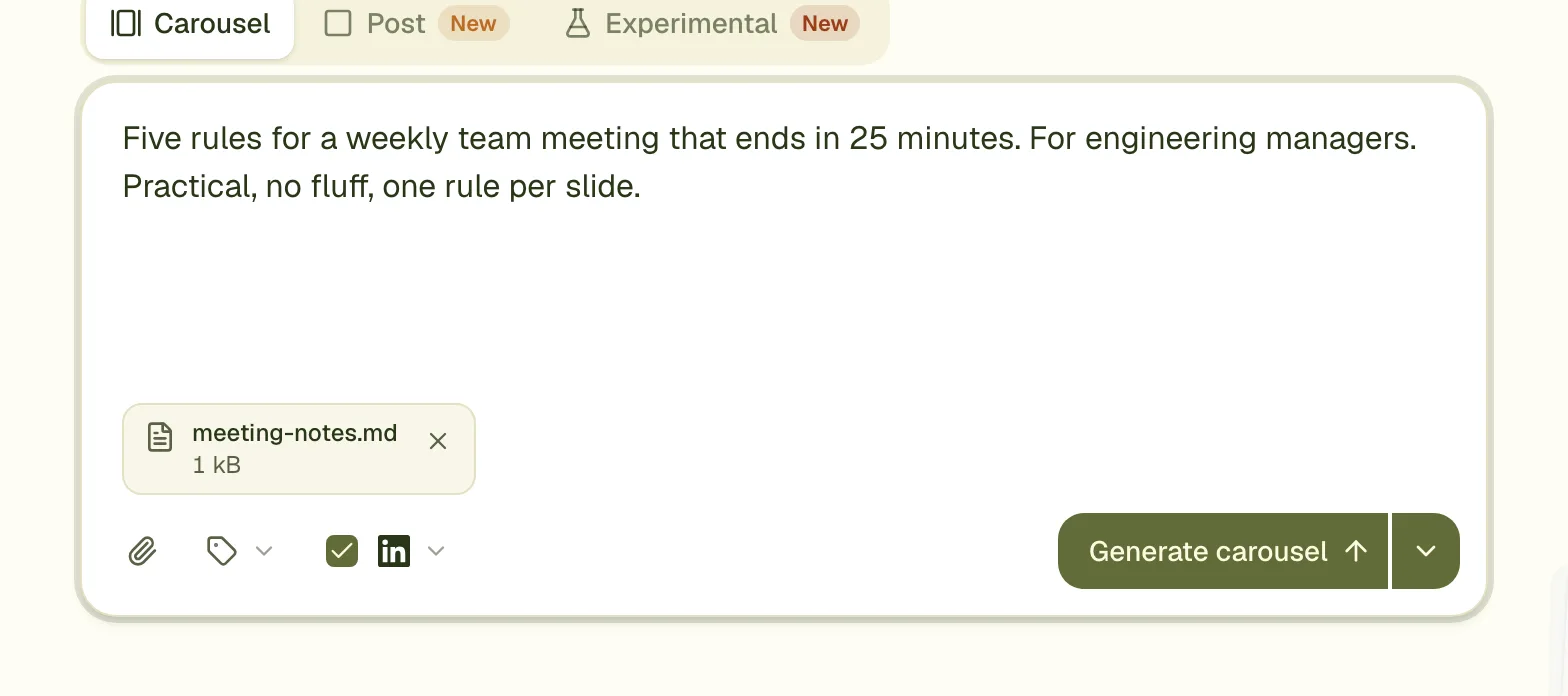
- Attach a text, Markdown or CSV file (.txt, .md, .csv), up to 1 MB each. Together all text and Word files may hold about 200,000 characters.
Steps
- Add the post: pasted if it is under about 1,000 words, otherwise as a file.
- Add one line of direction: who the carousel is for, and which part of the post to lead with.
- Pick the LinkedIn tips you want. "8 to 10 slides" and "One idea per slide" suit a long post. See the tips guide.
- Generate, then read each slide against the post.
- Comment on anything off, and press Apply.
What to cut
A post of 1,500 words does not fit on ten slides. Say what to drop: the introduction, the background, the case study. Keep the steps, the rules or the numbers. If you do not say, the designer chooses, and it may keep a part you would have cut.
Link back to the post in the caption, not on the slides
Put the link in your LinkedIn post text. The last slide works better as a takeaway or a question than as a URL, which nobody can tap on a slide.
Questions
Does it rewrite my words?
It shortens them to fit a slide and keeps your points. It is told not to invent facts. Read the result as you would a colleague's draft of your idea.
Can I give it a link to the post instead?
No. Paste the text or attach a file. A link to a website is used only to read a website's look, when the brief says to style the carousel like it.
What languages work?
The carousel is written in the language of your brief. A post in German gives a German carousel.
Try it on your own carousel
Make a carousel from a short brief, then use this feature on it. It takes about a minute to get the first draft.
Try for free nowNo sign-up needed to try. The free plan exports with a small carouselgen.com mark.