In short
Some fixes are quicker to do than to describe: a typo, a word you would rather not use, a picture that sits a little too low. For these, skip the comment and edit the slide yourself. It costs nothing and it is instant.
Right-click opens the menu
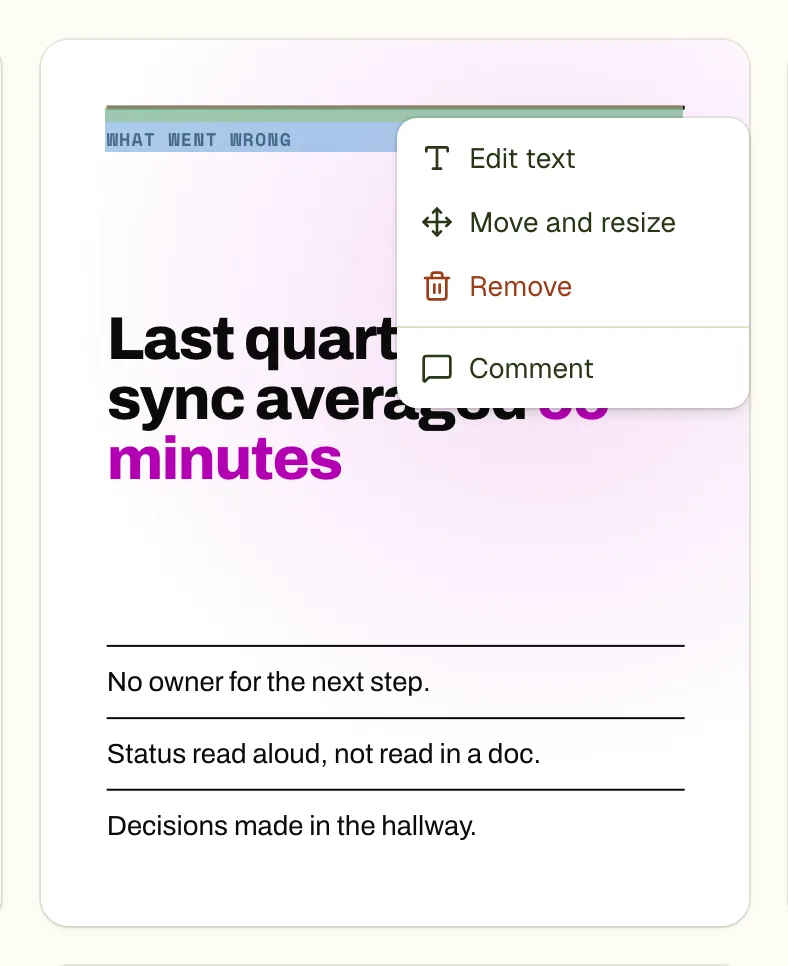
Right-click any element of a finished slide (long-press on a touch screen). The menu has four items.
Retype the words
Choose Edit text and the words become editable in place, with the caret where you clicked. Enter saves. Shift+Enter breaks the line. Esc puts the old words back. Leaving the box also saves.
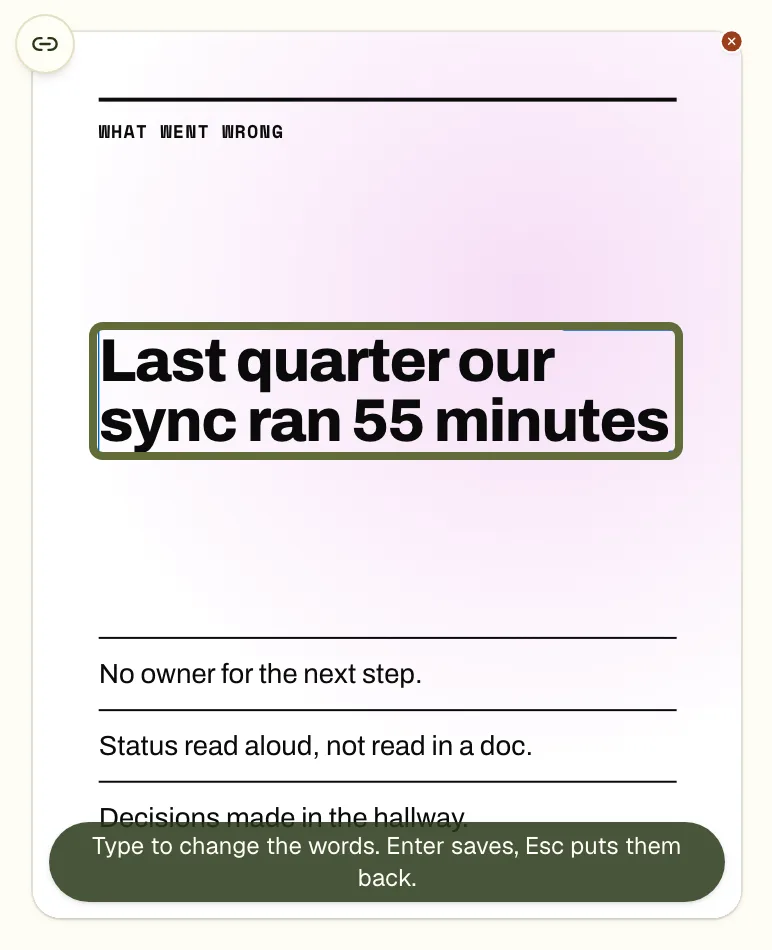
Only the words change. The font, size, colour and position stay as the designer set them.
Move and resize
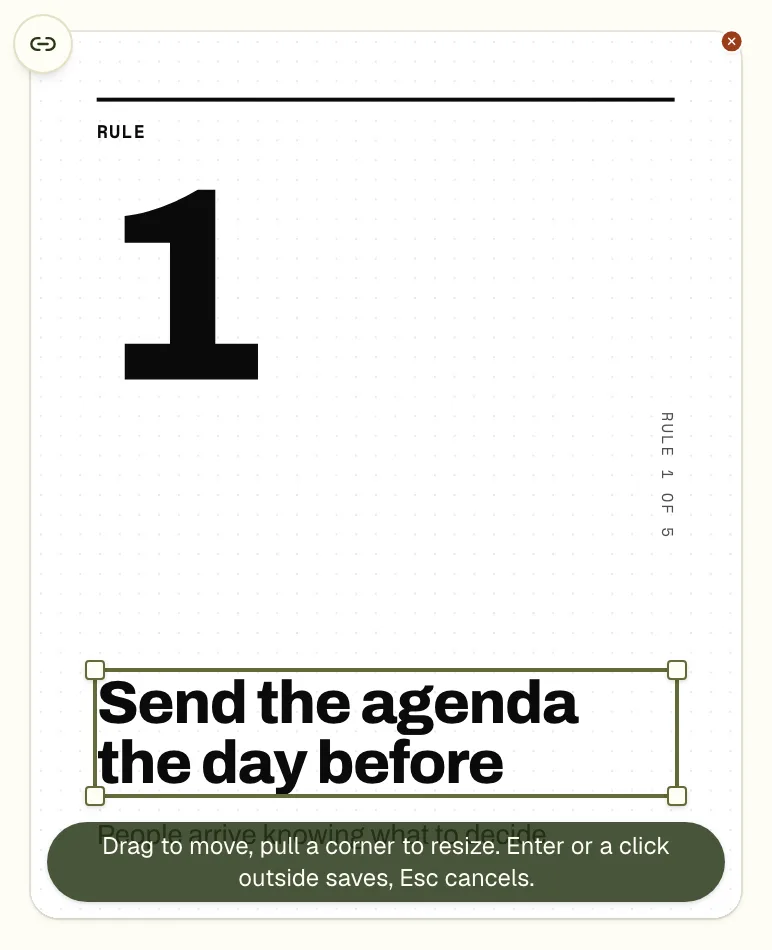
- A frame with four corner handles appears over the element.
- Drag the frame to move the element. The layout around it stays where it was.
- Drag a corner to resize. The opposite corner stays put. Pictures keep their shape; for other elements hold Shift to keep the proportions.
- The arrow keys nudge by 1 pixel, with Shift by 10.
- Enter, or a click outside, saves. Esc cancels.
Remove an element
Remove takes one element off the slide, such as a decorative shape or a line of small print. It is not offered on a slide's own background. To take away a whole slide, see the guide on deleting a slide.
What a hand edit costs
Nothing. No AI call is made, so it does not use one of your edit rounds, and it is available on every plan. Each hand edit is stored as a change you can undo and redo. If you used up all your AI edits, the menu still works.
Questions
Does editing by hand use my AI edits?
No. A hand edit makes no AI call and does not count against the edit rounds of your plan.
Can I change the font or colour by hand?
Not from this menu. It retypes, moves, resizes and removes. For a colour or a font, add a comment and apply, or use the guide on fonts and colours.
Why can I not remove the background?
The slide's own outer element is its background, so Move and Remove are not offered on it. Comment on it to change its colour.
Try it on your own carousel
Make a carousel from a short brief, then use this feature on it. It takes about a minute to get the first draft.
Try for free nowNo sign-up needed to try. The free plan exports with a small carouselgen.com mark.