In short
LinkedIn turns a PDF into a swipeable carousel when you add it to a post as a document. carouselgen exports exactly that file: one page per slide, in the portrait 1080 by 1350 format.
Export
Open the export menu
Press Export in the toolbar and choose PDF, "for LinkedIn: one page per slide".
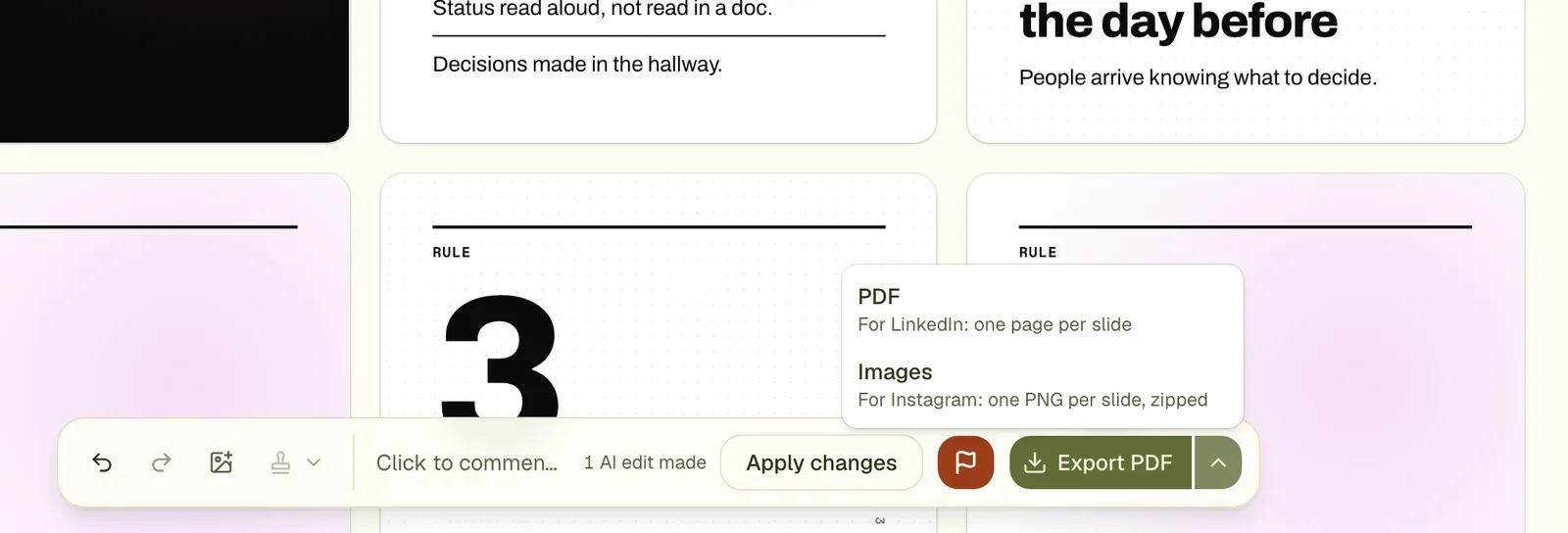
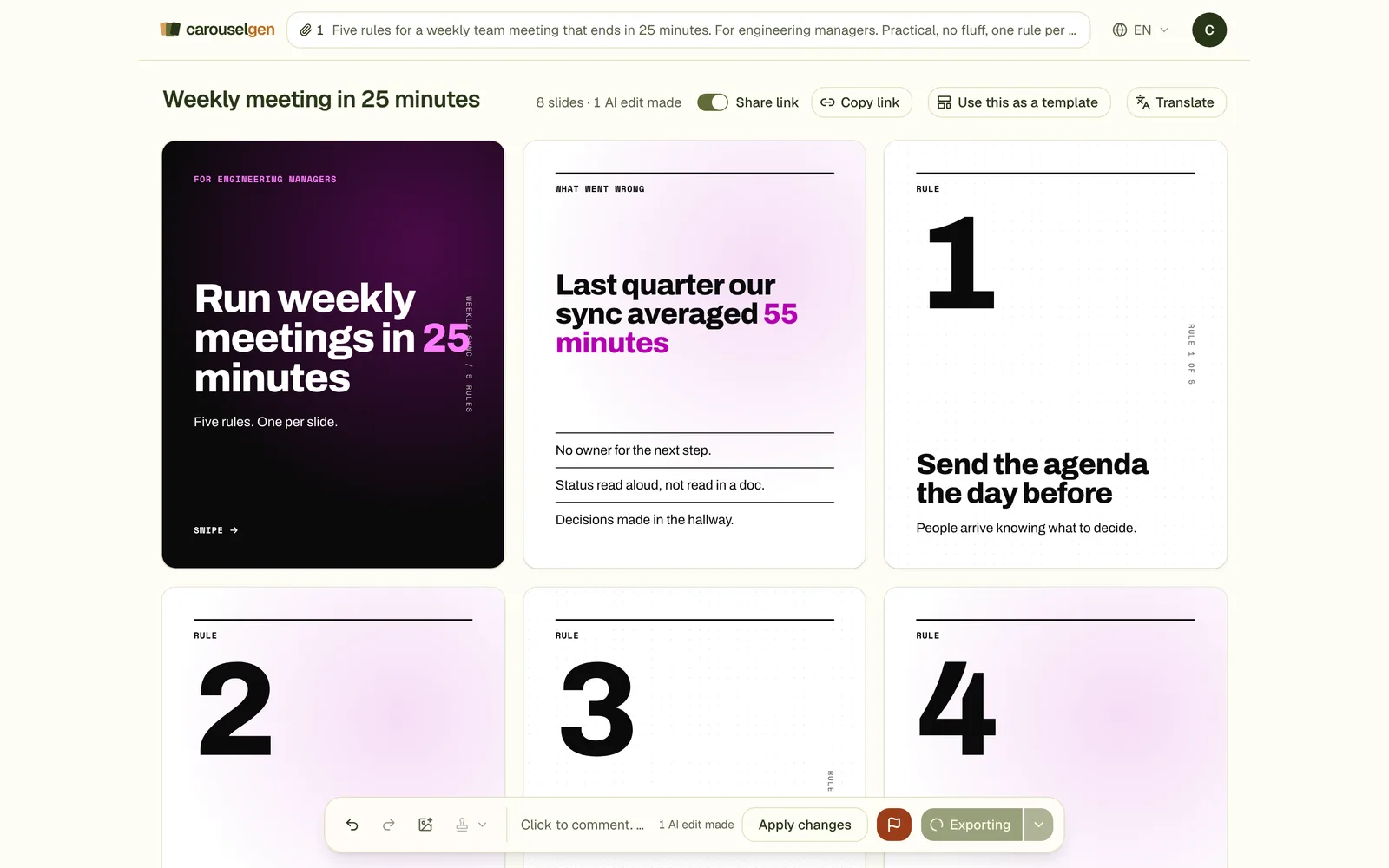
Wait a few seconds
The button says it is preparing the file. The carousel is drawn in a browser and each slide becomes a page.
Get the file
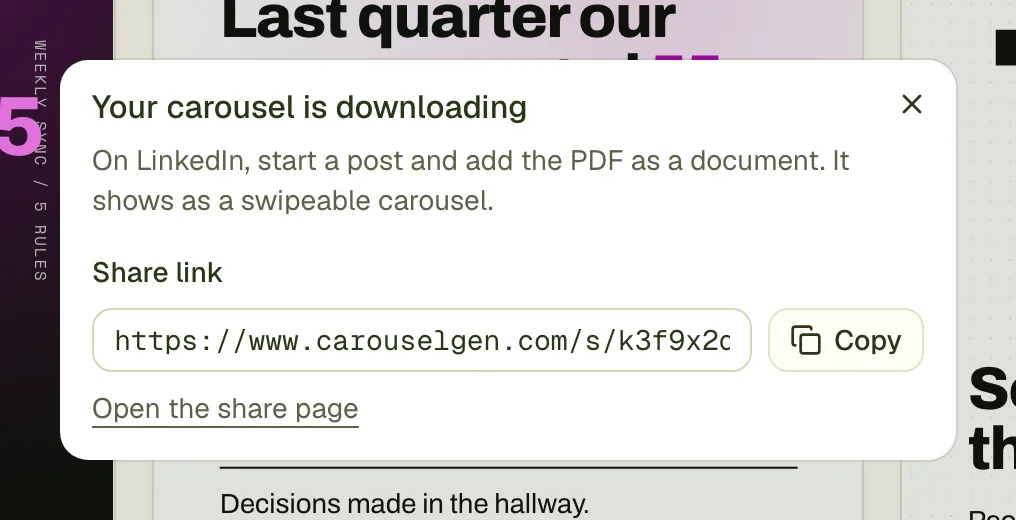
The download starts. The dialog tells you what to do next: start a post on LinkedIn and add the PDF as a document.
Post it
On LinkedIn, start a post, choose the document option and pick the PDF. Give the document a title, because LinkedIn shows it. The step by step is in how to post a carousel on LinkedIn.
What the file is
- One page per slide, in order, 1080 by 1350 units.
- Each page is a picture of the slide, drawn at double resolution in a browser. It looks the same everywhere, with your fonts.
- Because the pages are pictures, the text in the PDF cannot be selected or searched. Keep a copy of your text if you need it.
- The file is far inside LinkedIn's limits (100 MB and 300 pages, per LinkedIn's help page). A nine-slide carousel was about 1 MB in a test.
- On the free plan, every slide carries a small carouselgen.com mark. Paid plans export without it.
No sign-in needed to export
You can export a carousel you made without an account. The free plan includes PDF and image export with the mark. The share link, which paid plans add, is a separate feature.
Questions
Why can I not select text in the PDF?
Each page is an image of the slide. That keeps fonts and layout exact on every device, at the cost of selectable text.
What if the export fails?
Try again. If it keeps failing, press the red flag in the toolbar and say what happened.
Does exporting use up a plan allowance?
No. You can export a carousel again as often as you like.
Try it on your own carousel
Make a carousel from a short brief, then use this feature on it. It takes about a minute to get the first draft.
Try for free nowNo sign-up needed to try. The free plan exports with a small carouselgen.com mark.