In short
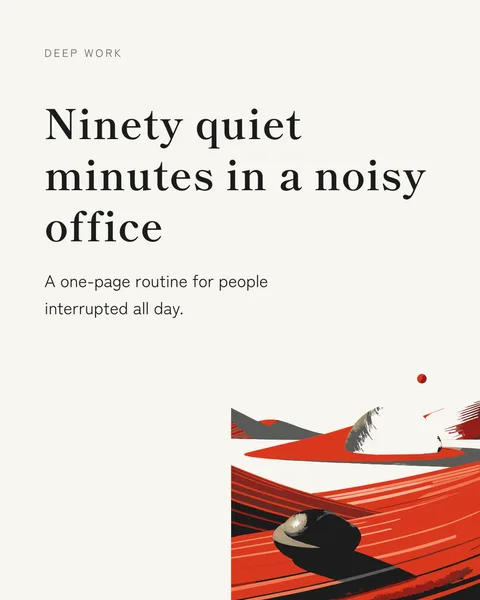
Most good carousels run on type, colour and layout. A picture earns its place when the idea is hard to say in words, such as a compass for direction or a bridge for a gap. carouselgen can draw one for you as a vector illustration.
How it works
- The designer marks a spot on a slide with a description of the picture and the colours of the slide's palette.
- An illustration model draws it in a flat style, as a vector, and the slide shows it a few seconds after the text.
- The illustration is placed with the text: beside a headline, under a statement, running off an edge. It is not put in a framed box.
- A second pass adjusts the slide's layout around the picture, so the text and the drawing fit together.
How many your plan allows
The number of pictures is per carousel, for its whole life, and counts the first draft and every edit. Each one is a paid call to the illustration model, so the allowance grows with the plan. It is none on the free plan, one on Starter, two on Pro and three on Max; the example carousels on the start page get one each. The pricing page lists the current numbers.
Ask for one
- In the brief: "an illustration of a compass on the cover".
- In a comment after the first draft: "add an illustration of a bridge next to this headline".
- To get a new drawing, change the description in a comment. Undo takes the picture away with its edit, and redo brings it back without a new charge.
When the allowance is used up, the designer adds no picture and says so in the change note.
When to skip illustrations
For data, steps and checklists, a clean layout reads better than a drawing. If you want a picture of a person or a product, attach a real photo. The drawn style is flat and abstract.
Questions
Can I get a photo-realistic image?
No. The illustrations are flat vector drawings. For realism attach your own photo.
Do I get the picture back if I undo?
Undo removes the picture together with its edit and redo restores it at no extra cost. The count of pictures drawn, though, stays, so an undo does not refund one.
Does the free plan include pictures?
No. The free plan has none, to keep the free carousel affordable. You can still attach your own images.
Try it on your own carousel
Make a carousel from a short brief, then use this feature on it. It takes about a minute to get the first draft.
Try for free nowNo sign-up needed to try. The free plan exports with a small carouselgen.com mark.